Update: Improved Stability on iPhone 8 / 8 Plus


build=126 / Library: 0.3.2-121 + 0.8.3-420r has been released.

Changes in this update:

  1. Improved stability on iPhone 8 / 8 Plus
  2. For unknown (unsupported) iOS devices, the software now prompts you to perform a manual device reset.
    If the device is not yet supported (e.g., IPSW writing is not available), please perform a manual reset as a temporary workaround.

As before, the update will be applied automatically when you launch the software, so no additional action is required.

Thank you for continuing to use MASAMUNE Erasure.

投稿 Update: Improved Stability on iPhone 8 / 8 PlusMASAMUNE に最初に表示されました。

Update: IMEI Retrieval Retry (Up to 3 Attempts)


Thank you for using and considering MASAMUNE Erasure.

Update Notice

MASAMUNE Erasure was updated on May 31.

With this update, if an error occurs while retrieving an IMEI, the software will automatically retry.

The version after the update is “build=20192 / Library: 0.3.3-187 + 0.9.2-608r”.

Background

We received feedback that IMEI information was missing for some devices such as iPhones and cellular iPads.

After investigation, we found that when an erasure is started from DFU mode or Recovery mode, IMEI retrieval may fail.

To address this, the software will retry IMEI retrieval up to three times when it fails.

Reminder: Beware of “sealed box” scams

Reuse Keizai Shimbun reported a warning about iPhone buyback inspections:

https://www.recycle-tsushin.com/news/detail_9690.php

(Quote) A buyback shop purchased two unopened units of the latest iPhone 15 Pro (256GB and 512GB). When the shop resold them to another buyer, it turned out that the boxes contained two sets of AA batteries (4-pack × 2).

Most buyers do not open sealed products during purchase, but this incident exploited that practice. It is important to check for any irregularities in the shrink wrap and assess the customer carefully.

A quick joke: even if something is “10-car” heavy, it can still be hell inside.

Thank you

This update was also developed based on feedback from MASAMUNE users. We sincerely appreciate your valuable input.

Thank you for your continued support of MASAMUNE Erasure.

Braver Co., Ltd.

CEO Hayato Abe

投稿 Update: IMEI Retrieval Retry (Up to 3 Attempts)MASAMUNE に最初に表示されました。

Update: iPhone 15 Series Erasure Support


Pricing notice: If this article mentions pricing or fees, please confirm the latest pricing on the Pricing page.

Thank you for using and considering MASAMUNE Erasure.

MASAMUNE Update: iPhone 15 Series Support
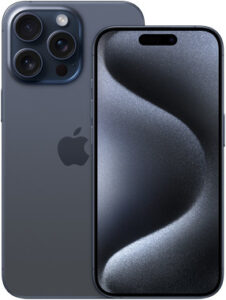
 

On April 2, we released an update that adds support for erasing iPhone 15 devices (iPhone 15 / 15 Plus / iPhone 15 Pro / Pro Max).

The version after the update is “build=20191 / Library: 0.3.3-186 + 0.9.2-606r”.

If you close and relaunch MASAMUNE Erasure, the update will be applied automatically.

We also support storage media erasure

– We want to prepare for the upcoming PC returns (e.g., GIGA School programs)…

– Our current erasure software is expensive, and we want to review operations…

Based on this feedback, we released a disk erasure edition: “MASAMUNE Erasure Storage edition meets kirala21”.

It can erase storage media in PCs (Windows/MacBook), servers, and workstations. For a 256GB SSD, erasure typically takes around 5 minutes. The pricing is 100 JPY per successful erasure.

Please contact us for details. (Phone: +81-50-1742-2018)

https://www.masamune.com/storage_edt/

About the Network Restriction Checker


It seems that there is ongoing discussion in the used mobile industry about reviewing “network usage restrictions”.

In a meeting held by the Ministry of Internal Affairs and Communications in March, the industry group RMJ requested abolishing or revising the mechanism that applies restrictions even to devices whose ownership has already been transferred.

On the other hand, carriers expressed opposition due to concerns about increased fraudulent purchases.

Reference: Reuse Keizai Shimbun

MASAMUNE includes a feature that, during used-mobile inspection, automatically retrieves the IMEI (device identifier) from the device, auto-fills it into carrier network-restriction check sites, and determines whether any restrictions apply. Learn more here.

A small joke: the start of a fiscal year often comes with a lot of “restrictions”.

Thank you

MASAMUNE continues to improve thanks to your requests.

This update was also developed based on feedback from active users.

“Building a truly domestic data-erasure program together with all of you—beyond organizational boundaries.”

With this in mind, we will continue to focus on development and delivery.

Thank you for your continued support of MASAMUNE Erasure.


Braver Co., Ltd.

CEO Hayato Abe

投稿 Update: iPhone 15 Series Erasure SupportMASAMUNE に最初に表示されました。

Press Release: Network Restriction Check Feature


Previously, network restriction status was checked by manually searching on carrier pages or dedicated websites.

“Network Restriction Check” automatically displays whether a used smartphone has a network restriction, and it also supports checking multiple devices at once.

This feature is introduced on the following page:

Network Restriction Check

投稿 Press Release: Network Restriction Check FeatureMASAMUNE に最初に表示されました。

Update: Official Release of Network Restriction Check


We have released an update to accompany the official launch of the Network Restriction Check feature.

  • Added automatic saving of the Network Restriction Check password.
    Once authentication is completed, the password is saved automatically and you will not need to enter it next time.
    You can delete the saved password from the File menu by selecting “Reset user settings…”.
  • Added a logo image to the background of the Mobile Edition.

The version after the update is “build=20190 / Library: 0.3.3-105 + 0.9.2-604r”.

As before, the update will be applied automatically after restarting Erasure.

Thank you for continuing to use MASAMUNE Erasure.


投稿 Update: Official Release of Network Restriction CheckMASAMUNE に最初に表示されました。